
Best Cable Sleeves for Home Office Cable Management
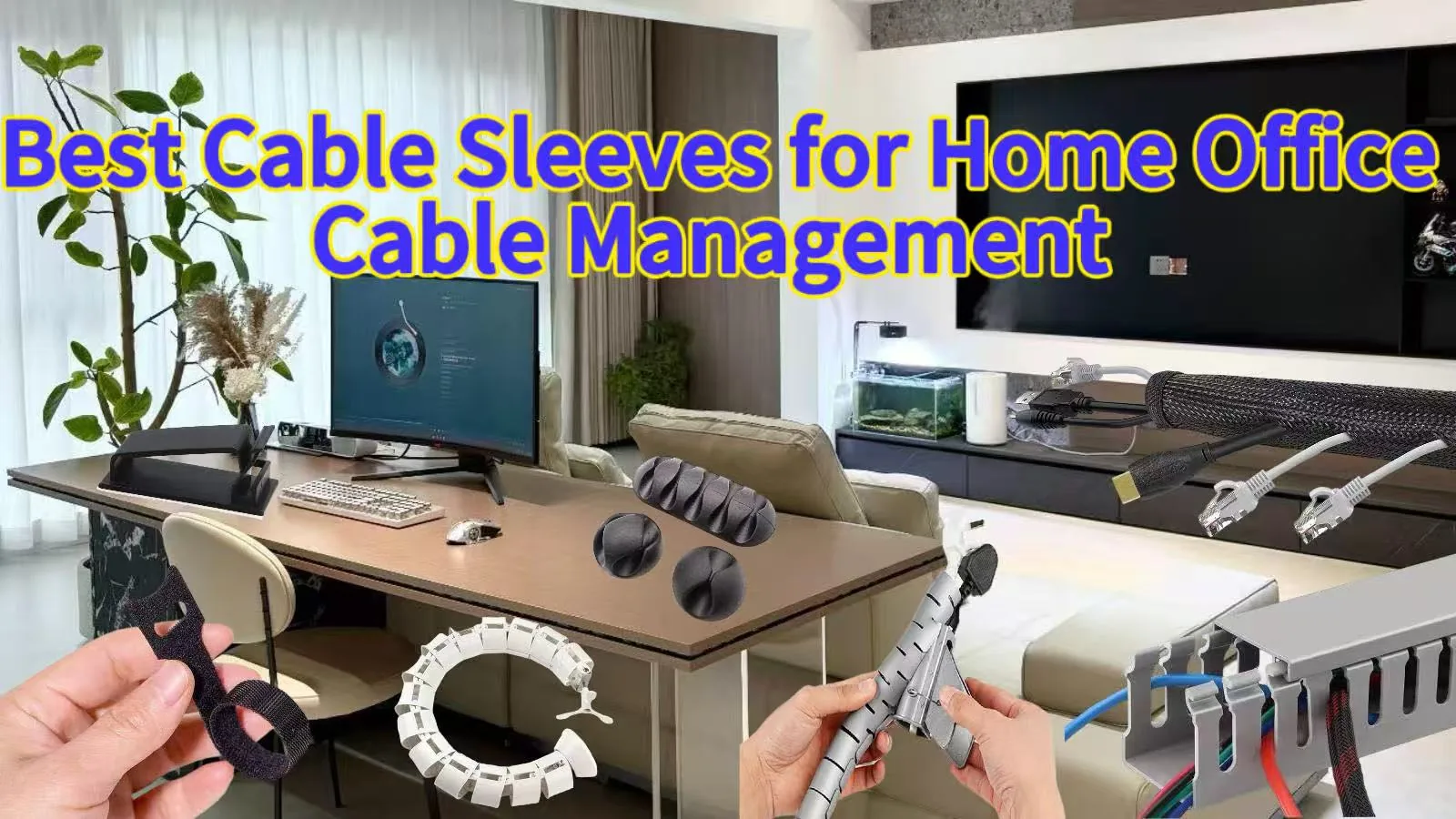
A messy desk can make a home office difficult to use. Power, USB, network and monitor cables often cross in different directions. The right cable management sleeve can bundle these cables, improve routing and create a cleaner workspace.
What Makes a Cable Management Sleeve a Good Choice for a Home Office?
A good cable management sleeve should do more than hide wires. It should organize, protect and simplify cable routing. It should also make future maintenance easier.
1. Cable Organization
A cable management sleeve gathers multiple cables into one bundle. This makes computer, monitor, power and desk cables easier to manage.
2. Cable Protection
The sleeve adds a protective layer around cables. It can help reduce abrasion, pulling and daily contact. The required protection depends on the application.
3. Cable Routing
A flexible sleeve keeps cables together. It also reduces loose cables around the desk.
This makes it a practical choice for cable management for home office setups.
4. Easy Cable Access
Some cable setups need regular changes. In this case, choose an openable design.
Split braided sleeves, zipper cable sleeves and hook and loop sleeves make cable access easier. They are useful when cables need to be added or replaced.
Cable Sleeve VS Cable Clips VS Cable Raceways VS Cable Boxes
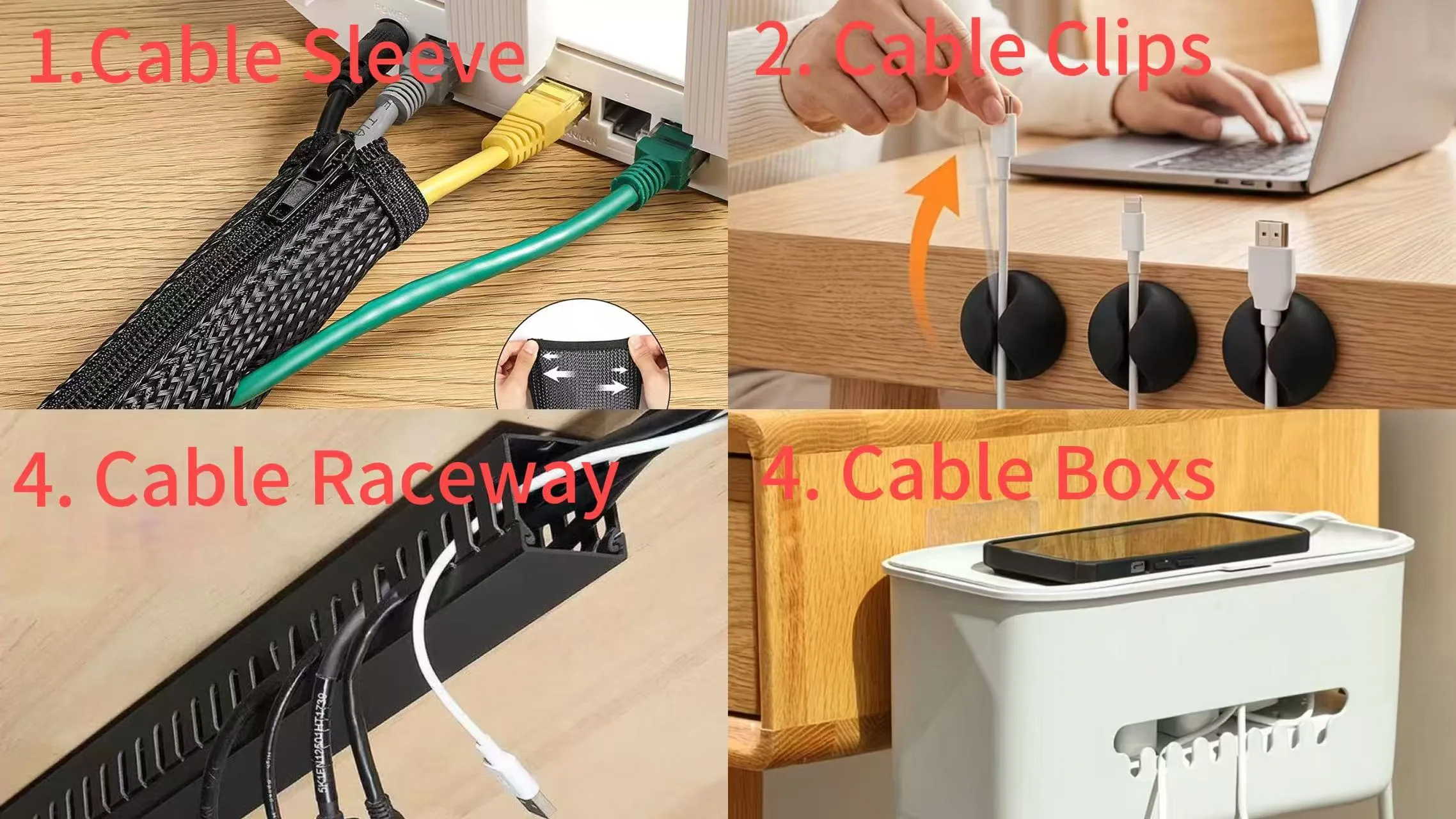
Different cable management products solve different problems. You can also combine them for a more complete solution.
1. Cable Sleeve
A cable management sleeve bundles and protects multiple cables. It works well between the desktop and under-desk area.
2. Cable Clips
Cable clips hold cables at specific points. They are useful around desk edges, legs and connection areas.
3. Cable Raceway
Cable raceway are mainly used under desks. They can hold power strips, adapters and extra cable length.
4. Cable Boxes
Cable boxes are mainly used to hide power strips and adapters. They are not designed for long cable runs.
For many home office cable management applications, a combination works better. A cable management sleeve can organize the main bundle. Clips and ties can then secure individual sections.
Types of Cable Sleeves for Home Office
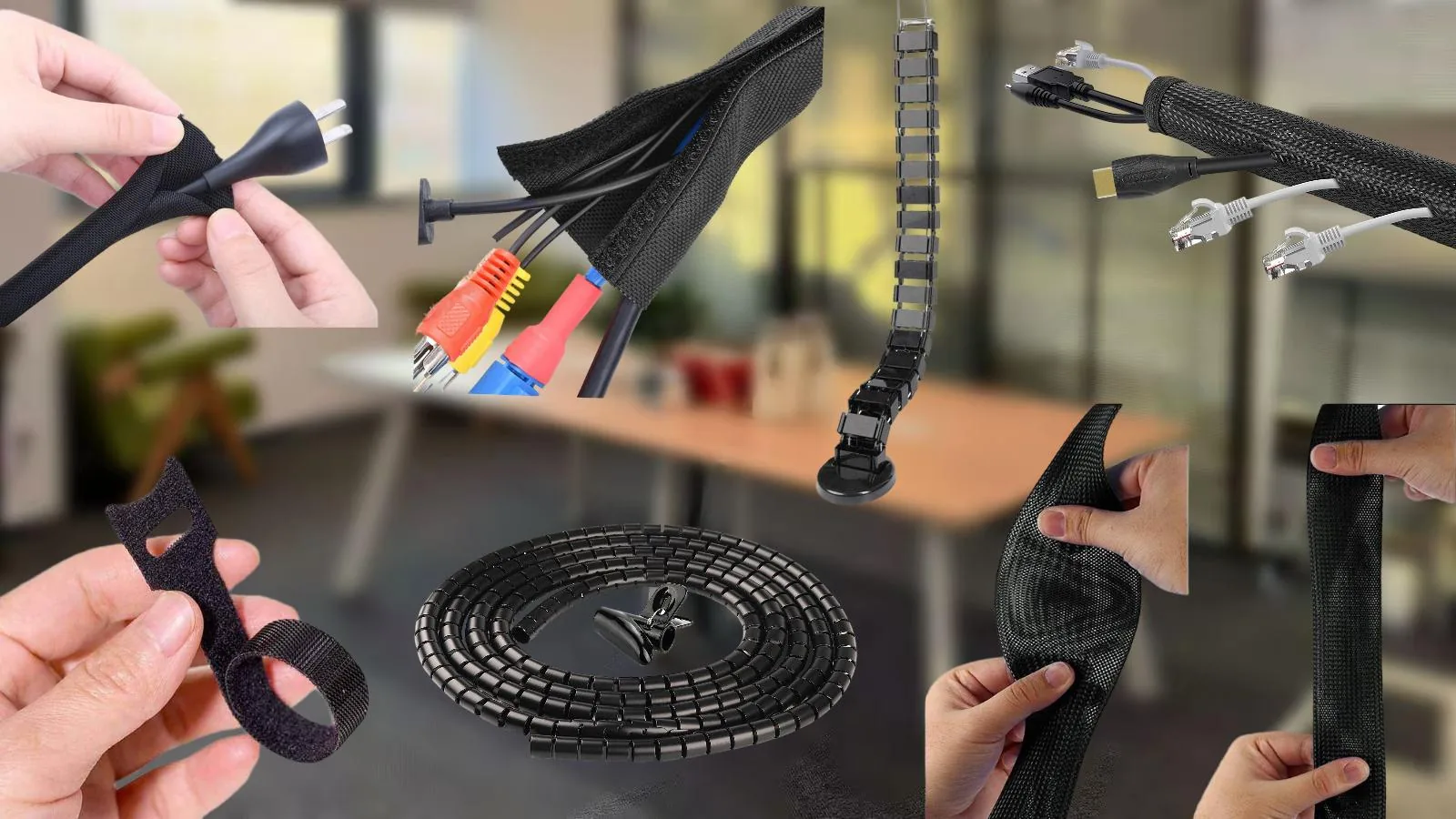
Cable management products can be used together depending on the number of cables, installation method and how often they need to be adjusted.
1. Expandable Braided Cable Sleeve
An expandable braided cable sleeve is ideal for bundling computer, monitor, USB, power and network cables. It is commonly used under desks, behind desktop computers and around monitors.
2. Split Cable Sleeves
Open cable sleeves allow easy cable installation, removal and adjustment. Common options include split cable sleeves, hook and loop cable sleeves and zipper cable sleeves. They are suitable for desks, conference room tables and multi-monitor workstations.
3. Hook and Loop Cable Ties
Hook and loop cable ties are mainly used to bundle. They are ideal for charging cables on bedside tables, computer cables under desks and appliance cords behind TV cabinets.
4. Spiral tubes
Spiral tubes are used to gather and route multiple cables. They are commonly used under desks, behind TV cabinets and along walls.
Cable Management Spine is designed for cable management on standing desks. They can bundle cables from the desktop to the floor while allowing the cables to move as the desk height changes.
How to Choose the Right Cable Management Sleeve?
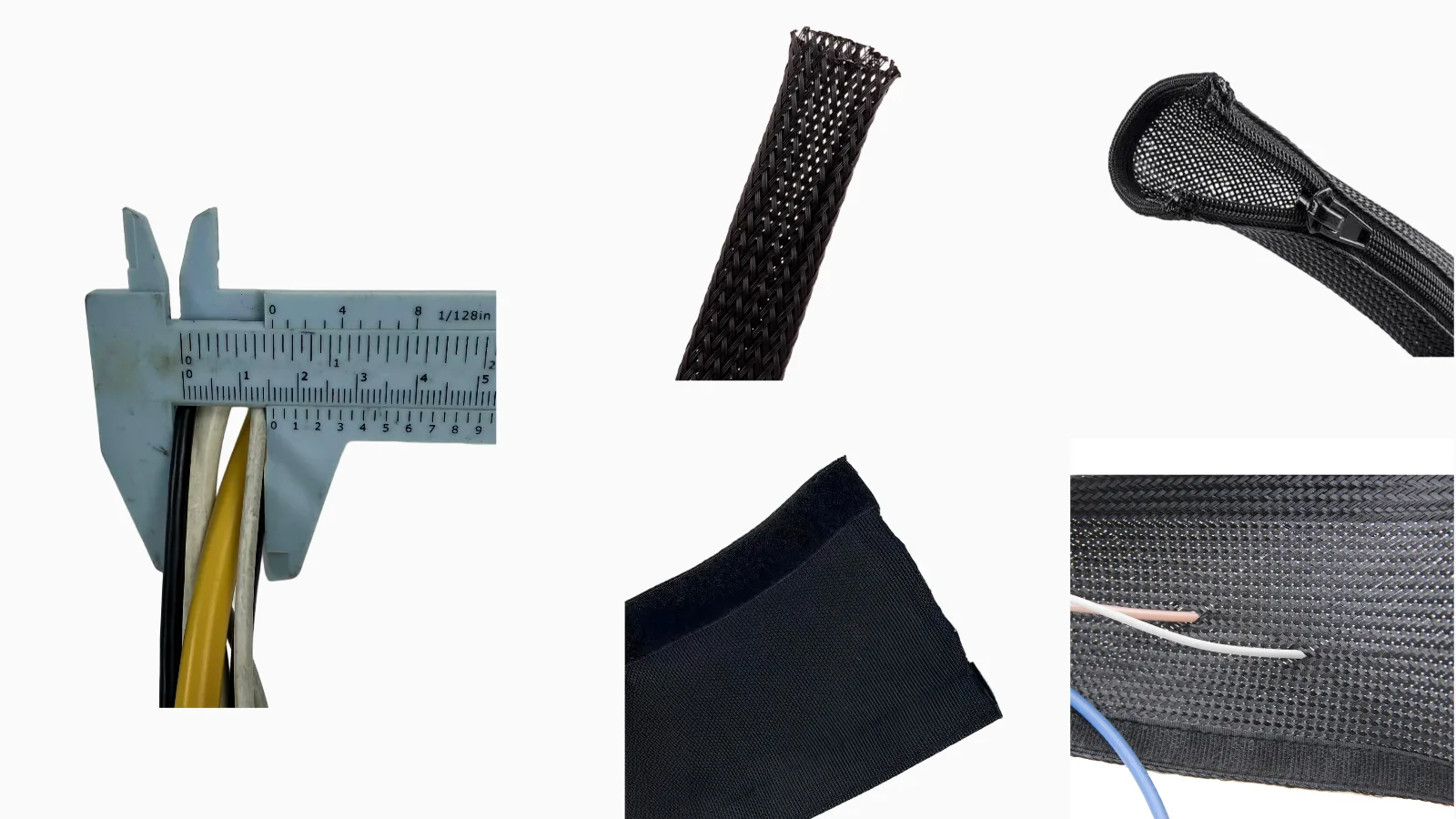
1. Measure the Cable Bundle
Measure the overall diameter of the cable bundle, then choose a suitable sleeve size based on the measurement.
2. Sleeve Structure
Choose the structure based on how the cables are installed. Expandable braided cable sleeves work well for bundling cables together, while split, zipper and hook and loop sleeves make it easier to add or remove cables later.
3. Material
PET is an ideal choice for daily cable management and offers excellent value for money. Nylon offers better abrasion resistance, while textile sleeves provide better dust protection and braided sleeves offer better breathability.
Cable Management for Different Home Office Areas
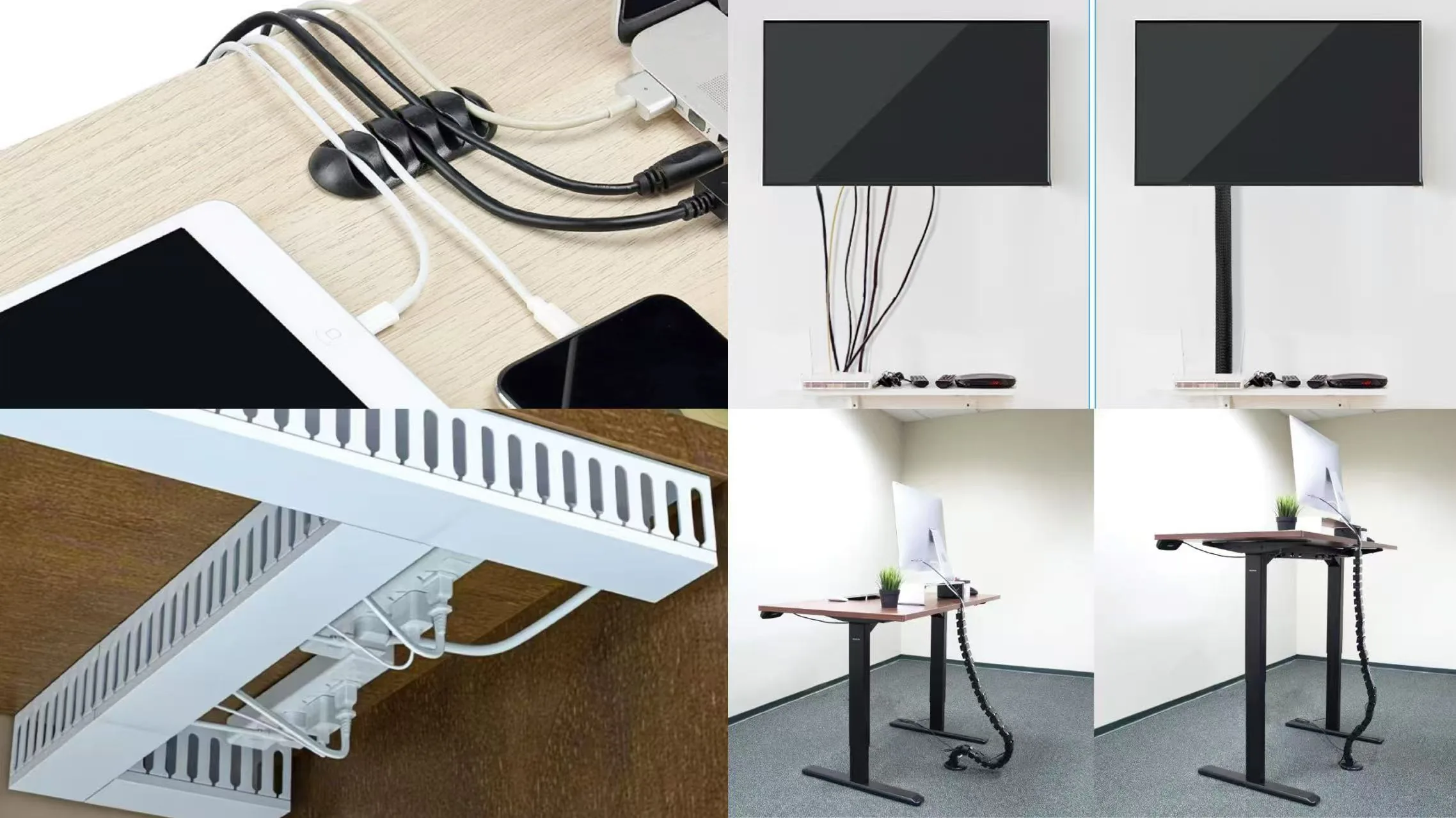
1. On the Desk
For cables on the desktop, expandable braided cable sleeves, split cable sleeves, hook and loop cable sleeves and zipper cable sleeves can bundle computer, monitor and charging cables. Cable clips can fix individual cables along the desk edge, Cable Boxes can hide power strips and adapters.
2. Under the Desk
For under-desk cable management, Spiral tubes, split cable sleeves, hook and loop cable sleeves and zipper cable sleeves can organize the main cable bundle, while hook and loop cable ties can secure smaller cable sections. A Cable raceway can also hold power strips and adapters under the desk.
3. For Moving Desks
Standing desks need cable management that can move with the desk. A Cable Management Spine can guide cables from the desktop to the floor while allowing the cable bundle to move as the desk height changes. Hook and loop cable ties can be used for additional fixing.
4. In the Living Room, Kitchen and Bedroom
For home cable management, cable sleeves, Spiral tubes and cable clips can organize TV cables, appliance cords and charging cables. Cable Boxes can hide power strips and adapters, while Cable raceway can keep cables organized behind furniture or in other fixed areas.
Cable Sleeve Features and Customization
Cable management requirements can vary depending on the cable bundle, installation space and end use. Choosing the right sleeve structure, size and material can make installation easier and improve long-term cable protection.
For standard applications, common options include expandable braided sleeves, split sleeves, zipper sleeves and hook and loop sleeves. For projects with specific requirements, the size, color, length, structure and performance can also be customized.
At Xiamen QX, we provide different cable sleeving solutions for home offices, computer setups, standing desks and other cable management applications. Our team can recommend suitable materials and structures based on your cable size, installation method and application requirements. OEM customization is also available for size, color, length and packaging.
If you are not sure which cable sleeve is suitable for your application, providing the cable bundle size and application details can help the supplier recommend the right solution.
FAQ About Cable Sleeves
1. How do I choose the correct Cable Sleeve size?
Measure the outside diameter of the complete cable bundle. Then compare it with the sleeve’s working diameter range.
2. Can I install a Cable Sleeve without disconnecting my cables?
Yes. Split cable sleeves, hook and loop sleeves and zipper cable sleeves can be installed around existing connected cables.
3. Can Cable Sleeves be customized?
Yes. Depending on your require, size, color, length, material and packaging can be customized.
4.How can I organize my cables on my desk?
You can use cable sleeves to bundle multiple cables and cable clips to secure individual cables along the desk edge. Cable raceway can also help organize cables and power strips under or behind the desk. For standing desks, a Cable Management Spine can guide cables as the desk moves up and down.
5. How do I manage cable for controller where I hold under my desk?
Use hook and loop cable ties to bundle and secure the controller cable under the desk. A cable sleeve can also keep the cable organized and prevent it from hanging loosely.
6. What should I check before choosing a Cable Sleeve manufacturer?
Check product consistency, customization capability, MOQ, samples, production capacity, lead time, certifications and after-sales support.
What are the different types of cable sleeves?
Common types include expandable braided cable sleeves, split cable sleeves, hook and loop cable sleeves and zipper cable sleeves. Each type offers a different installation and cable access method.
What is the best way to organize TV cables?
Keep the TV cables together and route them along the back of the TV cabinet or wall. Use a cable sleeve to cover multiple cables and keep them neat and less visible.
Conclusion
The best cable management sleeve depends on your cable bundle, installation method and working environment. For home offices, the right sleeve can simplify cable routing and maintenance. Combining cable sleeves with cable clips and a hook and loop cable tie can create a flexible and practical cable management solution.
Hey there, I’m Mia !

Get A Quote


Related Post You May Also Like

The Hidden Hero of Electrical Safety: Why Insulation Sleeves Are Often Overlooked
[pac_divi_table_of_contents included_headings="off|on|on|off|off|off" exclude_headings_by_class="on" active_link_highlight="on" level_markers_3="icons" title_container_padding="10px|15px|10px|15px|true|false" title_container_bg_color="#333333" body_area_height="650px"...
What Does the Development of Hook and Loop Tape Illustrate?
[pac_divi_table_of_contents included_headings="off|on|on|off|off|off" exclude_headings_by_class="on" active_link_highlight="on" level_markers_3="icons" title_container_padding="10px|15px|10px|15px|true|false" title_container_bg_color="#333333" body_area_height="650px"...

Wire Harness Protection in EV Applications
[pac_divi_table_of_contents included_headings="off|on|on|off|off|off" exclude_headings_by_class="on" active_link_highlight="on" level_markers_3="icons" title_container_padding="10px|15px|10px|15px|true|false" title_container_bg_color="#333333" body_area_height="650px"...
Velcro Cable Ties for Cable Management: Reusable and Easy to Us
[pac_divi_table_of_contents included_headings="off|on|on|off|off|off" exclude_headings_by_class="on" active_link_highlight="on" level_markers_3="icons" title_container_padding="10px|15px|10px|15px|true|false" title_container_bg_color="#333333" body_area_height="650px"...
0 Comments