
Ways to Hide Cables Under Your Desk
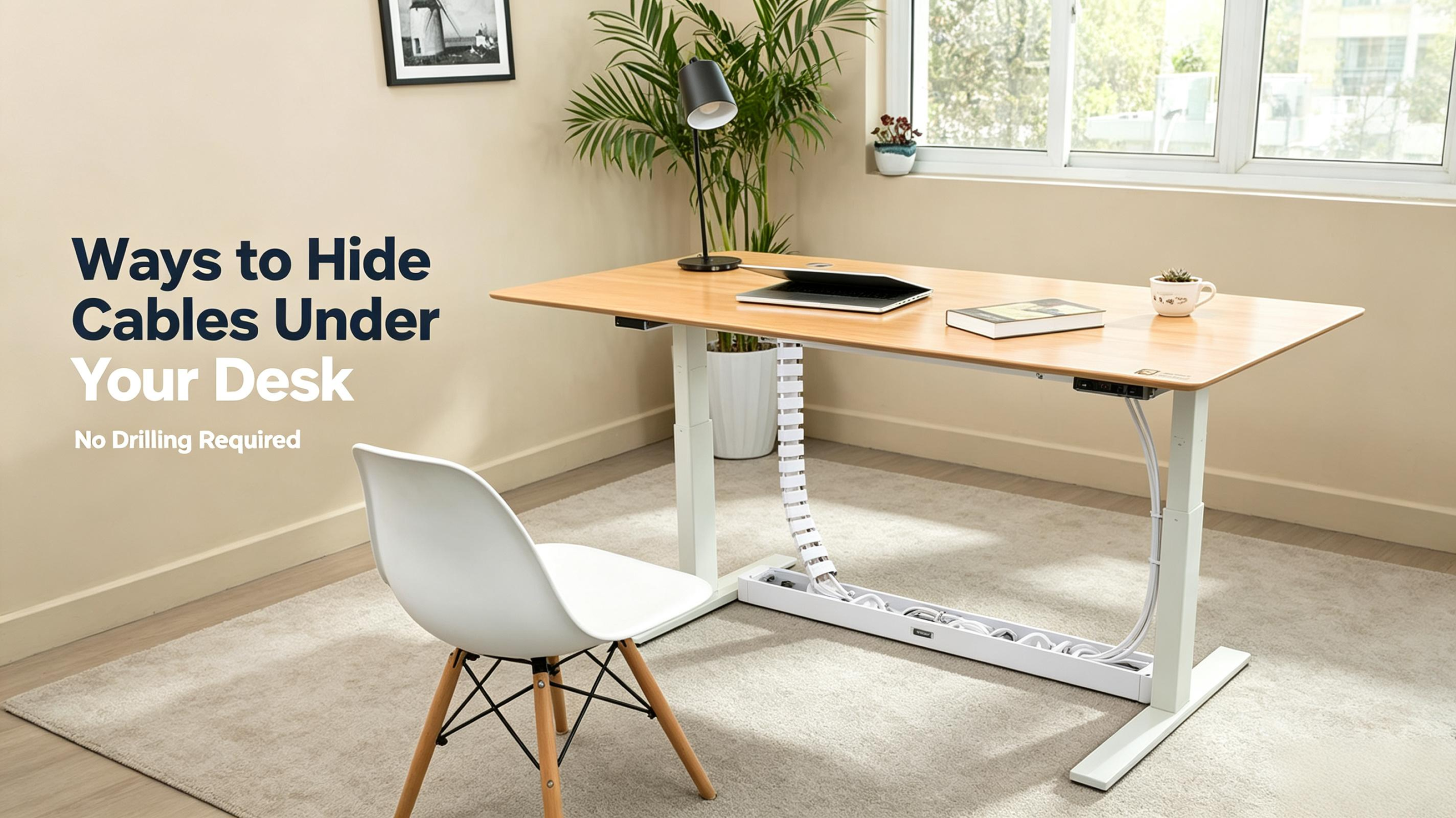
The desk looks clean on top, but underneath? A rat’s nest of cables, collecting dust and tripping you up.
The good news? You can fix it without drilling a single hole. Here are six practical ways to hide cables under your desk, from bundling to complete cable management systems. This guide explains which solution fits each situation. Everything is reusable and removable, so you can change your setup tomorrow without undoing today’s work.
Before You Start: How to Organize Desk Cables
Five minutes of planning saves you from the rework spiral that kills most projects—and most people’s patience.
Unplug all plugs and label each connected-device cable: monitor, laptop, docking station, router, speaker and more.
Classify cables by thickness. Power-adapter and monitor cables are thick; USB and audio cables are thin, and thickness affects the cable-management approach.
Categorize devices: separate permanently stationary units from frequently moved ones. Apply full cable protection for stationary devices.
Inspect your desk area. Note desk edges, legs and power outlets, and check for hollow legs or built-in grommet holes that can help hide cables.
Keep one key principle in mind: a cable protector has four core functions—organize, protect, route and maintain access. Each product below excels at two or three of these functions, so select the combination that suits your desk setup.
Clean Up Your Desk Cables — No Drilling Required: Gather and Bundle
Bundling is your cheapest, fastest option for desk cables—ten minutes, tops. The goal is to take three messy cords and make them one.
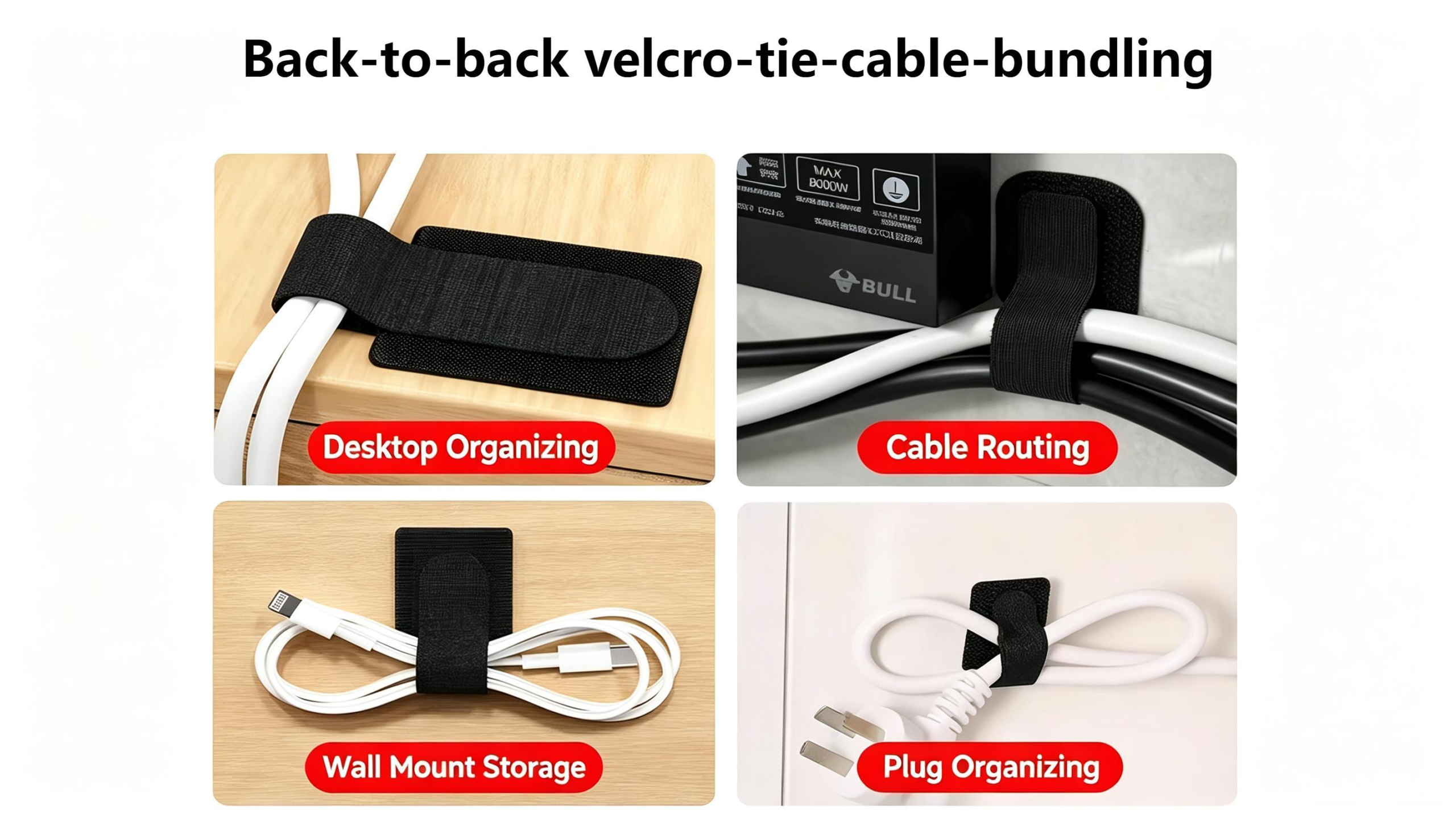
A back-to-back velcro tie lets you pair a power cable with its data cable side by side, or fasten a bundle to a desk leg without looping fully around. Unlike single-sided straps, it gives you flexibility without leaving bite marks on the cable jacket like zip ties can.
Sheath the run with an adhesive back-to-back tie. Stick one end under the desk, wrap the other around your cable bundle, and you are done. The double-sided grip secures cables flat against the underside—no dangling and no looping all the way around. It holds tight but stays easy to adjust when you need to add or remove a cable.
Desk Cable Management: When to Pick Braided or Zipper Sleeves
Once the bundle is done, the next move is choosing sleeves for each run. They vary more than you might think.
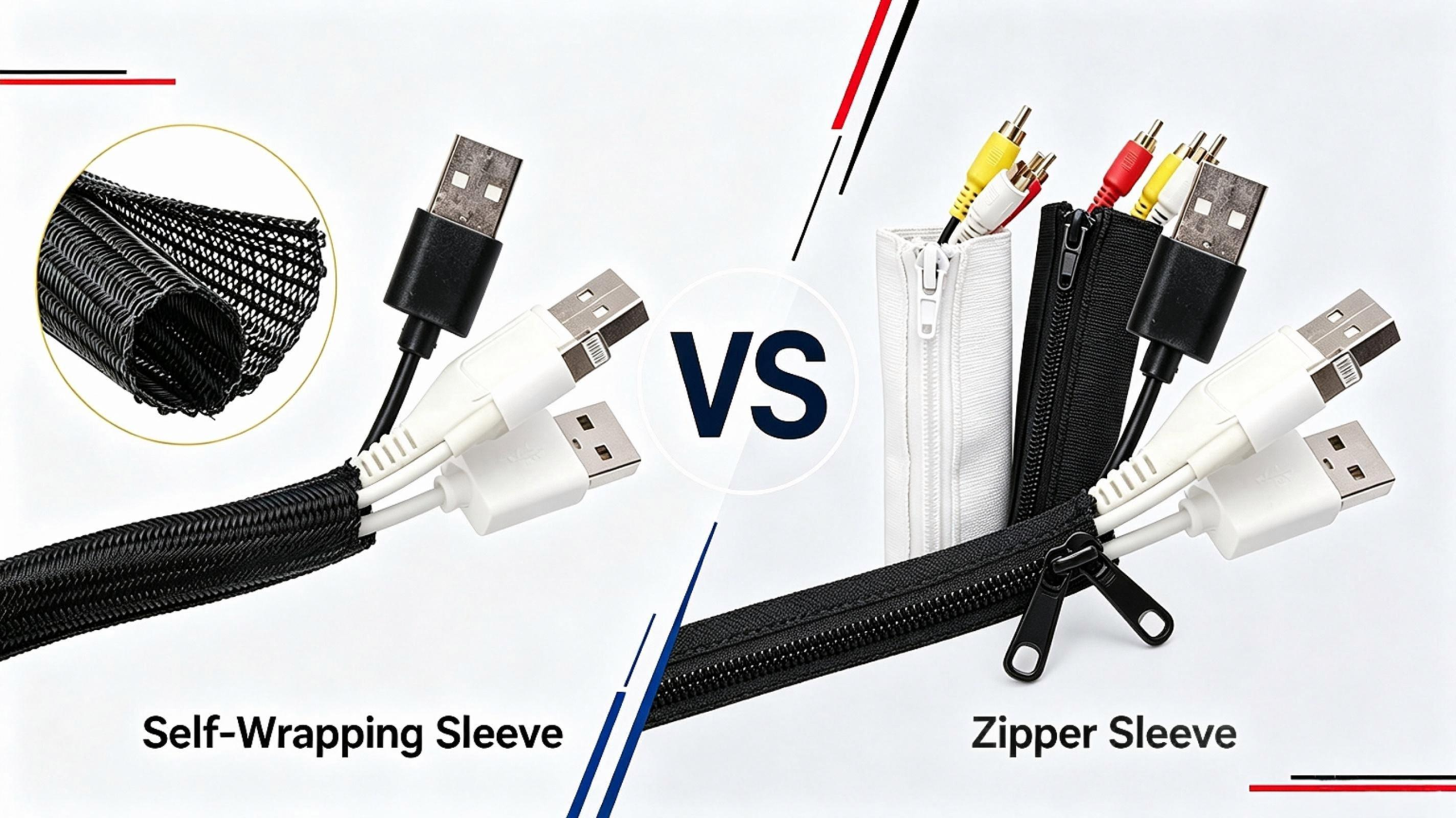
Self-Wrapping Braided Sleeve vs Zipper Sleeve
The self-wrapping braided sleeve feels denser and smoother to the touch than a textile tube. Both fit over pre-terminated cables through a side slit, so you do not need to disconnect connectors during retrofit or maintenance.
When properly sized, the self-wrapping sleeve holds its shape after closing and resists bulging for a neat, tight surface. Minor edge lifting can happen if it is overfilled. It works best for stationary bundles with stable cable volume.
A zipper cable sleeve closes fully around cables, making the harness look like one solid cable. Its zipper allows repeated opening for inspection, though it can turn loose and flat when holding too few cables. It is ideal for harnesses that need frequent access and servicing.
Which Sleeves Fit Your Cable Run
Choose a braided sleeve for hard-use runs—the floor drop behind your desk or bundles in rolling-chair territory. Choose a zipper sleeve for a trunk line you configure once and leave, such as the run from your monitor to the desk edge. If you rearrange peripherals weekly, prefer the braided version for easier re-access.
How to Hide the Power Strip Under Your Desk
The power strip is usually the messiest part of the setup, and it is also the part almost everyone forgets to anchor down.
Route Long Cable Runs With an ABS Vertebra Conduit
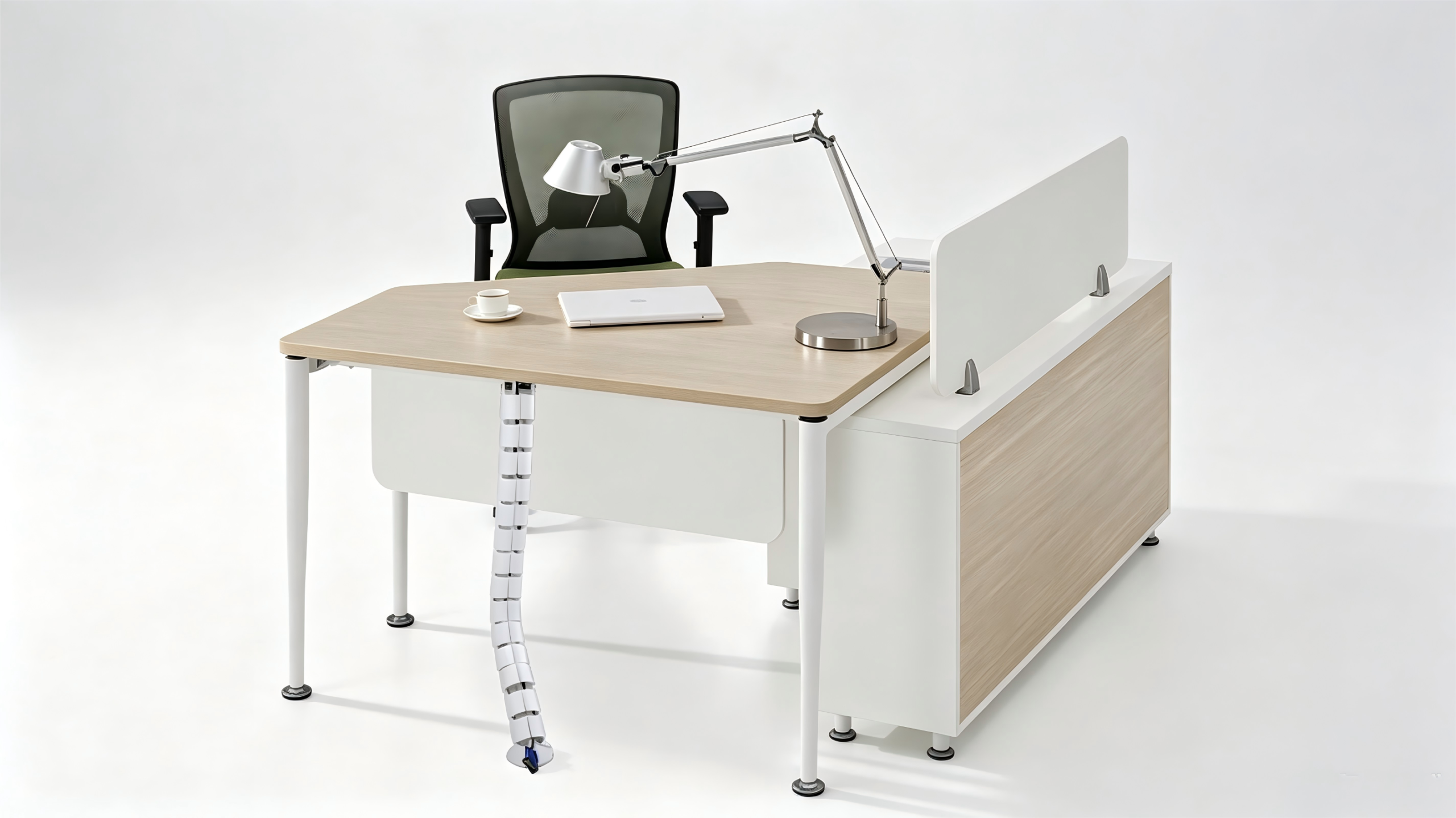
Mount the power strip under the desk in a tray so it stays off the floor and away from your feet. Then give the long run a fixed path with an ABS vertebra conduit. This rigid channel holds several cables in a straight line, shields them from impact and dust, and opens along the top so you can add or remove a cable without taking the whole run apart. It works best along the underside of the desk or a baseboard—anywhere the main cable highway runs straight.
Fine-Tune Details With Silicone Cable Clips
The last few centimeters are where a clean setup usually falls apart. Silicone cable clips stay soft, so they will not pinch or cut the cable jacket, and they hold up in warm spots where plastic clips turn brittle. Use them to route single cables along the back edge of the desk and down the inside of a desk leg—the small details that make the whole run look intentional.
Standing Desk Cable Management: Leave Room to Move
Standing desks move, so your cables have to move with them. Give each bundle plenty of slack, use sleeves and straps you can reopen, and route the vertical drop along the leg with silicone clips. Leave enough length for the full height range. A little extra loop is better than pulling a connector loose mid-raise.
A Five-Step Workflow for Desk Cable Management
With the right products in hand, the order matters. Follow these five steps and the whole desk takes under an hour.
Empty the underside—unplug everything and wipe away dust.
Sort and label each cable; pair the cables that travel together.
Plan the trunk route first, from the power center to the desk edge, then the branch routes.
Build: velcro the bundles, sheathe the long runs, clip the details and place the power strip in its tray.
Sit down, look under the desk—and if all you see is that single power cord, you have nailed it. Nothing dangling and nothing catching when you roll your chair around.
Frequently Asked Questions
Do I need to drill holes to hide cables under my desk?
No. Every method above works with adhesive mounts, wraps and clips. Drilling is only for the pass-through look, and it is optional.
Are self-wrapping sleeves better than zip ties?
For a desk, almost always. A sleeve bundles several cables into one protected tube and can be reopened later, while a zip tie is permanent and can crush the cable jacket if over-tightened.
Will a sleeve make my cables overheat?
Not if you are sensible. Use breathable self-wrapping sleeves for power runs, and never enclose power adapters inside a closed sleeve—give them airflow.
How do I manage cables on a standing desk?
Leave slack and use re-openable sleeves and velcro ties so the desk can travel without straining the cables. Route the vertical drop along a leg with clips.
Can I reuse velcro ties and clips if I move my desk?
Yes. That is the point of choosing reusable products. Hook-and-loop ties and adhesive clips are built for desks that get rearranged or moved.
Start With One Cable Run
You do not need to finish the whole desk in one sitting. Start with the single messiest run—usually the drop from the monitor—bundle it with a back-to-back velcro tie, sheathe it and clip it to the desk leg. Ten minutes is enough to see the difference. Once the underside of your desk is clean, the rest of the workspace follows, and you will have a setup that is easy to clean, easy to upgrade and easy to live with.
Hey there, I’m Cheney!

If you have any questions about cable management sleeve protection, feel free to contact me.
Get A Quote


Related Post You May Also Like
Spiral Wrap Sizing: 9 Mistakes That Ruin Cable Bundles
[pac_divi_table_of_contents included_headings="off|on|on|off|off|off" exclude_headings_by_class="on" active_link_highlight="on" level_markers_3="icons" title_container_padding="10px|15px|10px|15px|true|false" title_container_bg_color="#333333" body_area_height="650px"...

How to Better Protect Your EV Charging Cables
[pac_divi_table_of_contents included_headings="off|on|on|off|off|off" exclude_headings_by_class="on" active_link_highlight="on" level_markers_3="icons" title_container_padding="10px|15px|10px|15px|true|false" title_container_bg_color="#333333" body_area_height="650px"...

How to Find Reliable Cable Sleeve Manufacturers in China
[pac_divi_table_of_contents included_headings="off|on|on|off|off|off" exclude_headings_by_class="on" active_link_highlight="on" level_markers_3="icons" title_container_padding="10px|15px|10px|15px|true|false" title_container_bg_color="#333333" body_area_height="650px"...
How to Use Spiral Wrap: Installation and Material Selection
[pac_divi_table_of_contents included_headings="off|on|on|off|off|off" exclude_headings_by_class="on" active_link_highlight="on" level_markers_3="icons" title_container_padding="10px|15px|10px|15px|true|false" title_container_bg_color="#333333" body_area_height="650px"...